
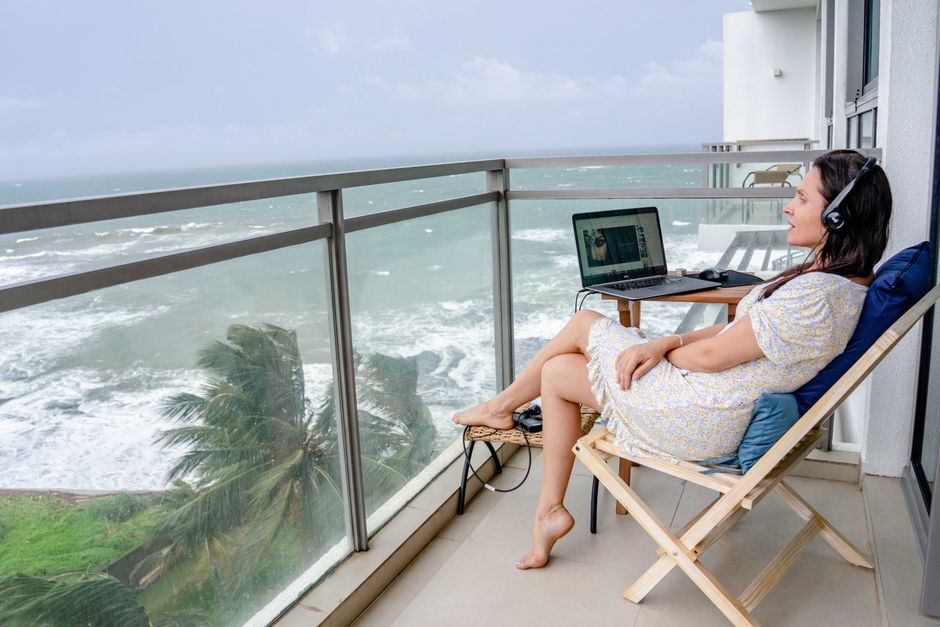
Digital Nomad Desk Setup: The 7-Pound Office That Doesn’t Suck
I watched a guy in a Bangkok coworking space pull a full-size keyboard, a 15-inch portable monitor, a laptop stand, a mouse, and three cables out of his bag. Total weight: probably 9 pounds of gear. He spent 20 minutes setting it all up. Then he worked for 45 minutes and packed it all away. That’s not a mobile office. That’s a ritual.
My setup weighs 7 pounds total, including the bag. It takes 90 seconds to deploy and 60 seconds to pack. I’ve used it in hostels, airport lounges, cafés with wobbly tables, and a train in Vietnam. Here’s what actually earns its weight.
The Real Problem: Your Neck, Not Your Laptop
Most digital nomads obsess over laptop specs and ignore the thing that ends their careers: posture. Spend 8 hours a day hunched over a 14-inch screen and you’ll feel it by week two. I did. Sharp pain between the shoulder blades, tension headaches, the whole thing.
The fix isn’t a standing desk. It’s a laptop stand that raises your screen to eye level. The Roost Stand V3 costs $89.95 and weighs 5.8 ounces. It folds down to the size of a candy bar and adjusts to three heights. I’ve had mine for four years. The carbon fiber arms look fragile but I’ve knocked it off tables twice with zero damage.
Here’s the mistake people make: they buy a cheap aluminum stand on Amazon for $25. It weighs a pound, takes up half a bag, and wobbles when you type. The Roost is expensive because it solves the weight-to-stability problem nobody else has cracked. If you’re under 5’8″, get the standard version. Taller? The Roost V3 has a taller setting that works up to about 6’2″.
Pair it with a separate keyboard and mouse. Yes, that’s two more items. But typing on a laptop keyboard while your screen is elevated is ergonomic nonsense — your wrists end up at a weird angle. The Logitech MX Keys Mini ($99.99, 1.1 pounds) and Logitech MX Anywhere 3S mouse ($79.99, 3.3 ounces) are the standard picks for a reason. The keyboard has real key travel. The mouse works on glass tables, which is about half the surfaces you’ll encounter in cafés.
Total ergonomic setup: 1.5 pounds. That’s the difference between working pain-free for a year and spending $400 on physiotherapy in Chiang Mai.
Power Management: One Charger to Rule Everything
The Anker 735 Charger (GaNPrime 65W) is $55.99 and weighs 4.6 ounces. It has two USB-C ports and one USB-A. It charges my MacBook Air M3 at full speed while simultaneously fast-charging my phone. I’ve replaced a laptop brick, a phone charger, and a power bank charger with this single unit.
Here’s what I learned the hard way: don’t cheap out on GaN chargers. I bought a $22 no-name brand in Vietnam. It got so hot I couldn’t touch it, and it died after three weeks. The Anker runs warm but never concerning. It’s been dropped, sat on, and used in 100°F heat.
For cables, you need exactly two: a 6-foot USB-C to USB-C (braided, at least 100W rated) and a 3-foot USB-C to Lightning or USB-C to USB-C for your phone, depending on what you carry. Buy from Anker or Belkin. The $5 gas station cables fail within a month. I’ve gone through enough of them to know.
Do you need a power bank? Only if you work from places without outlets. For most people, a 10,000mAh slim bank like the Anker 523 PowerCore Slim ($29.99, 7.4 ounces) is insurance. I carry it for long bus rides and flights with dead seat outlets. If you never work outside a coworking space or hotel, skip it.
Audio: The $350 Upgrade You’ll Actually Use Daily
Buy the Sony WH-1000XM5 ($349.99). Yes, they’re expensive. Yes, they’re worth it.
Here’s the thing about noise-canceling headphones: they’re not a luxury for digital nomads. They’re a productivity tool. A noisy hostel common room, a café with a blender running, a flight with a screaming toddler — the Sony XM5s cut all of that down to a low hum. I’ve taken calls in a Bangkok food court and the person on the other end heard nothing but my voice.
Alternatives? The AirPods Pro 2 ($249) are better if you prioritize portability and take a lot of calls. They fit in a pocket, and the microphone quality beats the Sonys. But the battery life is 6 hours versus 30 on the XM5s. For long work sessions, the Sonys win. For travel days, the AirPods win.
My actual recommendation: if you can only carry one, get the AirPods Pro 2. They’re smaller, cheaper, and handle 90% of situations. If you’re a serious focus worker or take calls in loud places daily, the XM5s earn their bulk.
The 7-Pound Office: Complete Gear List

Everything I carry, weighed on a kitchen scale:
| Item | Weight | Price | Worth It? |
|---|---|---|---|
| MacBook Air M3 13″ | 2.7 lbs | $1,099 | Yes — 18hr battery, silent, light |
| Roost Stand V3 | 5.8 oz | $89.95 | Yes — the single best nomad purchase |
| Logitech MX Keys Mini | 1.1 lbs | $99.99 | Yes — real key travel, compact |
| Logitech MX Anywhere 3S | 3.3 oz | $79.99 | Yes — works on any surface |
| Anker 735 Charger | 4.6 oz | $55.99 | Yes — replaces 3 chargers |
| Anker 523 Power Bank | 7.4 oz | $29.99 | Sometimes — only for outlet-scarce travel |
| AirPods Pro 2 | 1.8 oz | $249 | Yes — calls + portability |
| 2 cables (6ft + 3ft) | 2.5 oz | $35 | Yes — buy quality, not gas station |
| Total | ~7 lbs | $1,739 | — |
Laptop excluded, the accessories total about 4.3 pounds. That’s less than a single hardcover book. The whole setup fits in a 20L backpack with room for clothes for a weekend trip.
What NOT to Buy: The Gear That Stays Home
Portable monitors are the biggest waste of money and weight for most nomads. I bought a 15.6-inch Lenovo ThinkVision M14 ($249) two years ago. Used it maybe ten times. It’s 1.3 pounds, needs its own cable, and adds 5 minutes to setup and teardown. If you need a second screen, you’re probably doing work that requires a proper desk — in which case, get a coworking space with monitors. Don’t carry one around.
Mechanical keyboards. I get it. The tactile feel is nice. But even a compact 60% keyboard weighs 1.5+ pounds and takes up serious bag space. The MX Keys Mini gives you 80% of the feel at 70% of the weight. Unless you’re a writer doing 5,000+ words a day, skip the mechanical board.
Laptop sleeves with a million pockets. Just get a simple neoprene sleeve. The padded organizer sleeves add weight and bulk without real protection. Your backpack’s laptop compartment already does the job.
Travel routers. Unless you’re staying in hotels with one-device Wi-Fi limits (looking at you, Japan), your phone’s hotspot handles it. The GL.iNet Beryl AX ($89) is great hardware, but it’s solving a problem most people don’t have in 2026.
Setting Up in 90 Seconds: The Routine

Here’s the exact sequence I use, refined over hundreds of setups:
- Laptop on table. Open lid. Wake from sleep.
- Roost Stand out of its pouch. Pop the arms. Set to middle height. Laptop on top.
- Keyboard out. Turn on. It auto-connects via Bluetooth.
- Mouse out. Turn on. Auto-connects.
- Charger out. Plug into nearest outlet. One cable to laptop, one to phone if needed.
- AirPods in. Noise cancellation on.
That’s it. 90 seconds, maybe less. Packing up is the reverse order and takes 60 seconds. The key is that everything has a designated spot in my bag. No digging. No “where did I put the cable?” moments.
One more thing: get a small packing cube or pouch for your cables and charger. I use a $12 Peak Design Tech Pouch knockoff I found in Tokyo. It keeps everything from tangling and makes airport security a 30-second affair.
The point of all this isn’t the gear. It’s that your office should disappear when you’re not working. The setup should be so light and fast that you don’t think about it. You just open your bag, work, pack up, and go live your life.